65 lines
4 KiB
Markdown
65 lines
4 KiB
Markdown

|
---
|
|||
|
|
layout: ../../layouts/post.astro
|
|||
|
|
title: How to Replace Google Safe Browsing with Cloudflare Zero Trust
|
|||
|
|
description: How to Replace Google Safe Browsing with Cloudflare Zero Trust
|
|||
|
|
dateFormatted: Jul 14th, 2024
|
|||
|
|
---
|
|||
|
|
|
|||
|
|
So, get this, right? I built the first version of [L(O\*62).ONG](https://loooooooooooooooooooooooooooooooooooooooooooooooooooooooooooooo.ong/) using server-side redirects, but Google slapped me with a security warning the very next day. Talk about a buzzkill! I had to scramble and switch to local redirects with a warning message before sending folks on their way. Then came the fun part – begging Google for forgiveness.
|
|||
|
|
|
|||
|
|
Now, the smart money would've been on using Google Safe Browsing for redirects. But here's the catch: Safe Browsing's got a daily limit – 10,000 calls, and that's it. Plus, no custom lists. And since I'm all about keeping things simple and sticking with Cloudflare, Safe Browsing was a no-go.
|
|||
|
|
|
|||
|
|
Fast forward to a while back, I was chewing the fat with someone online, and bam! It hit me like a bolt of lightning. Why not use a secure DNS server with built-in filters for adult content and all that shady stuff to check if a domain's on the up-and-up? Figured I'd give [Family 1.1.1.1](https://blog.cloudflare.com/zh-cn/introducing-1-1-1-1-for-families-zh-cn/) a shot, and guess what? It actually worked! Problem was, no custom lists there either. Then I remembered messing around with Cloudflare Zero Trust Gateway back in my [HomeLab](https://www.awesome-homelab.com/) days. Turns out, that was the golden ticket – a solution so good, it's almost criminal.
|
|||
|
|
|
|||
|
|
**Here's the deal: Cloudflare Zero Trust's Gateway comes packing a built-in DNS (DoH) server and lets you set up firewall rules like a boss. You can block stuff based on how risky a domain is, what kind of content it has, and even use your own custom naughty-and-nice lists. And get this – it pulls data from Cloudflare's own stash, over 30 open intelligence sources, fancy machine learning models, and even feedback from the community. Talk about covering all the bases! Want the nitty-gritty? Hit up the [official documentation](https://developers.cloudflare.com/cloudflare-one/policies/gateway/domain-categories/#docs-content).**
|
|||
|
|
|
|||
|
|
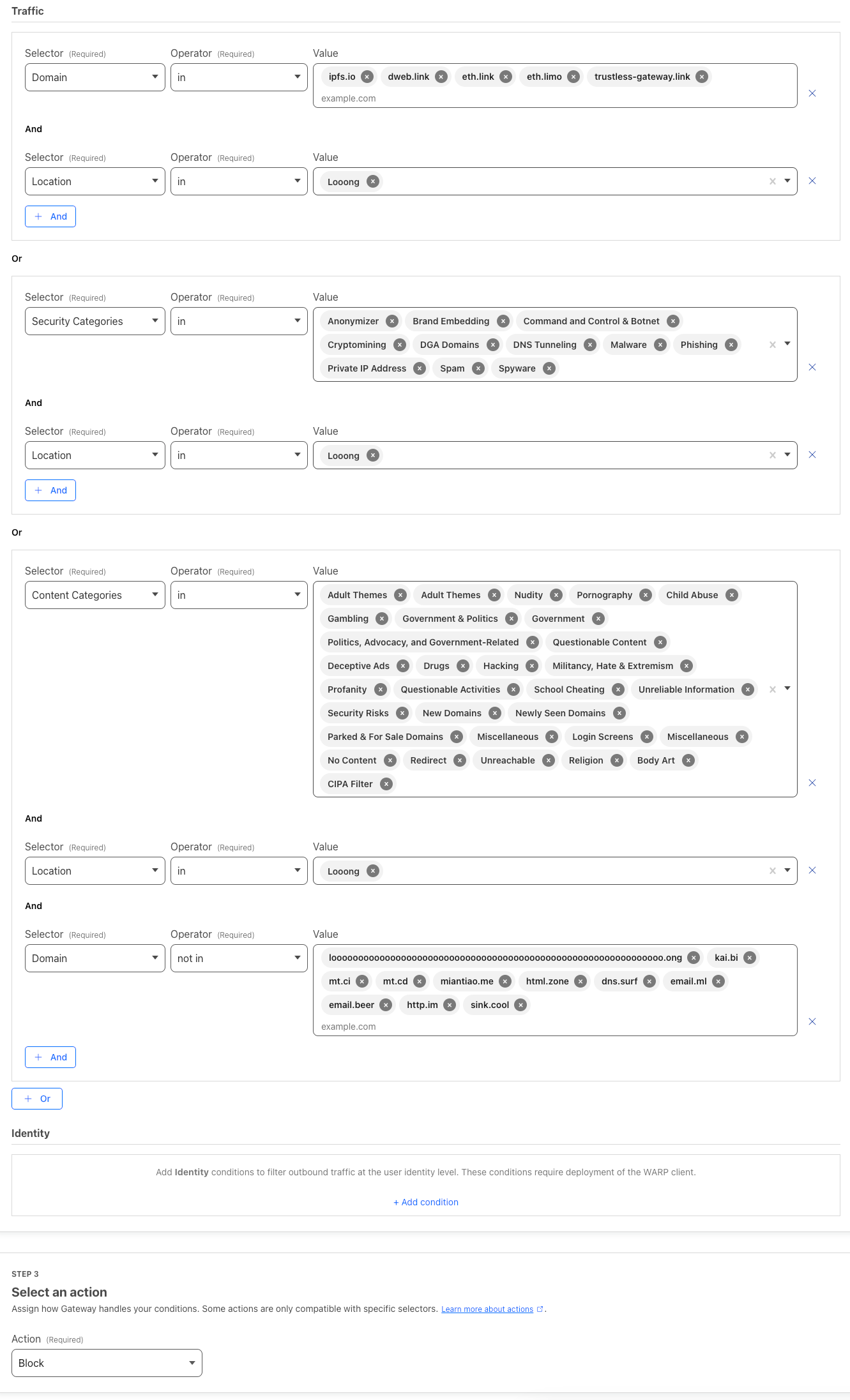
So, I went ahead and blocked all the high-risk categories – adult stuff, gambling sites, government domains, anything NSFW, newly registered domains, you name it. Plus, I've got my own little blacklists and whitelists that I keep nice and tidy.
|
|||
|
|
|
|||
|
|
|
|||
|
|
|
|||
|
|
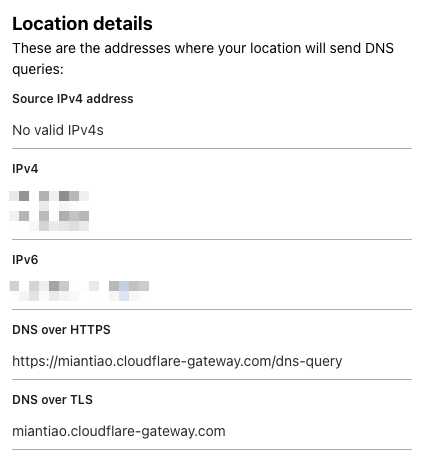
Once I was done tweaking the settings, I got myself a shiny new DoH address:
|
|||
|
|
|
|||
|
|
|
|||
|
|
|
|||
|
|
To hook it up to my project, I used this handy-dandy code:
|
|||
|
|
|
|||
|
|
```
|
|||
|
|
async function isSafeUrl(
|
|||
|
|
url,
|
|||
|
|
DoH = "https://family.cloudflare-dns.com/dns-query"
|
|||
|
|
) {
|
|||
|
|
let safe = false;
|
|||
|
|
try {
|
|||
|
|
const { hostname } = new URL(url);
|
|||
|
|
const res = await fetch(`${DoH}?type=A&name=${hostname}`, {
|
|||
|
|
headers: {
|
|||
|
|
accept: "application/dns-json",
|
|||
|
|
},
|
|||
|
|
cf: {
|
|||
|
|
cacheEverything: true,
|
|||
|
|
cacheTtlByStatus: { "200-299": 86400 },
|
|||
|
|
},
|
|||
|
|
});
|
|||
|
|
const dnsResult = await res.json();
|
|||
|
|
if (dnsResult && Array.isArray(dnsResult.Answer)) {
|
|||
|
|
const isBlock = dnsResult.Answer.some(
|
|||
|
|
answer => answer.data === "0.0.0.0"
|
|||
|
|
);
|
|||
|
|
safe = !isBlock;
|
|||
|
|
}
|
|||
|
|
} catch (e) {
|
|||
|
|
console.warn("isSafeUrl fail: ", url, e);
|
|||
|
|
}
|
|||
|
|
return safe;
|
|||
|
|
}
|
|||
|
|
|
|||
|
|
```
|
|||
|
|
|
|||
|
|
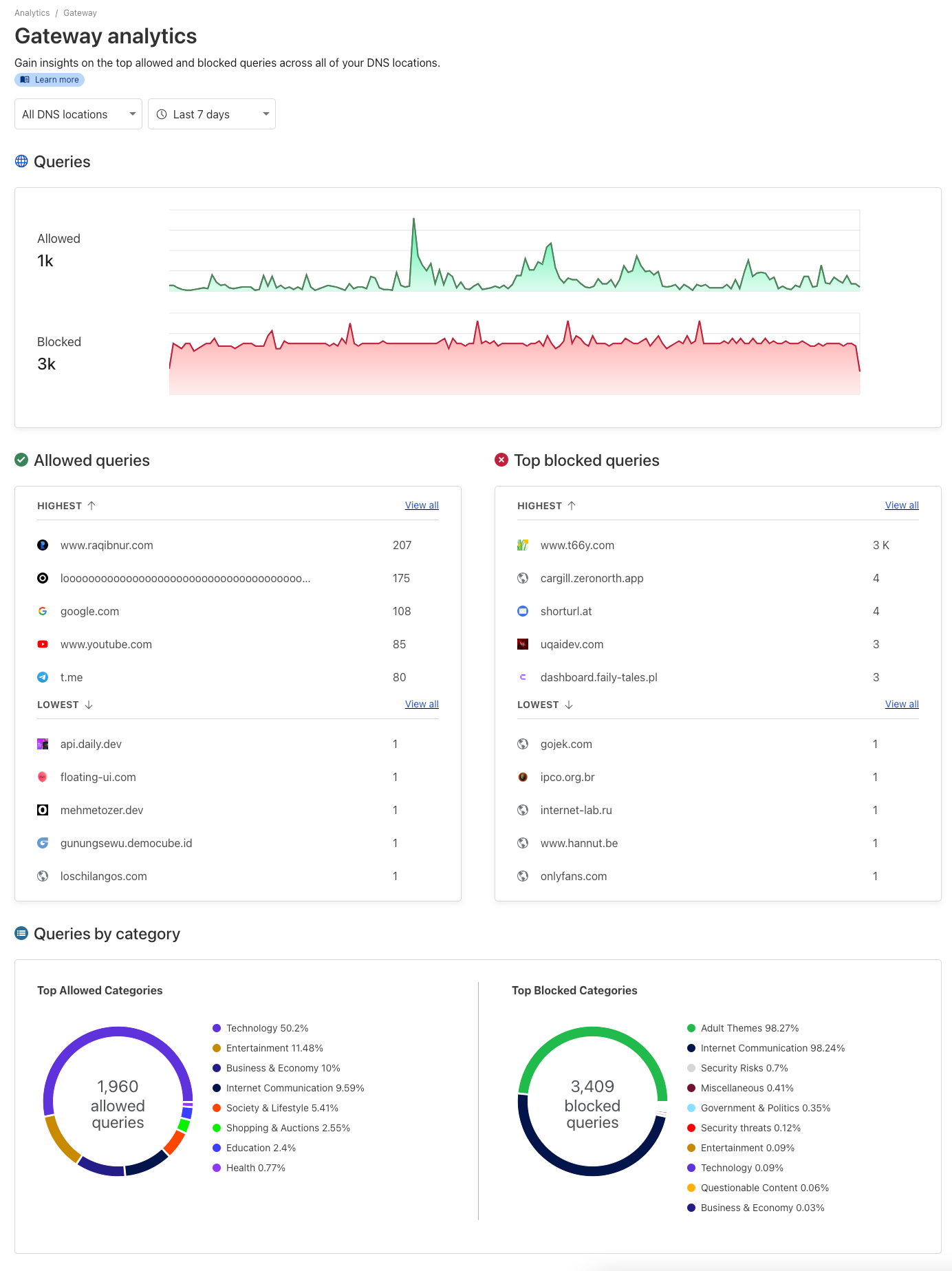
And here's the kicker: Cloudflare Zero Trust's management panel has this sweet visualization interface that lets you see what's getting blocked and what's not. You can see for yourself – it's got the kibosh on some adult sites and those brand-spanking-new domains.
|
|||
|
|
|
|||
|
|
|
|||
|
|
|
|||
|
|
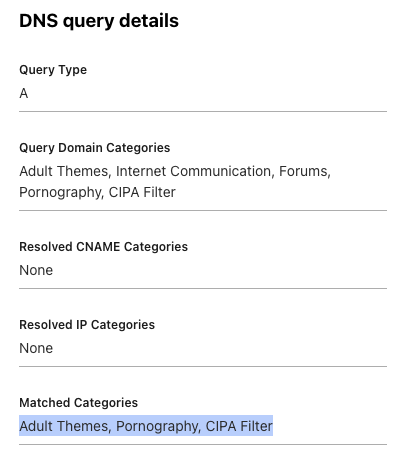
Oh, and if a domain ends up on the wrong side of the tracks, you can always check the log to see what went down.
|
|||
|
|
|
|||
|
|
|